

Before You Start Troubleshooting
There is nothing quite as frustrating as reaching for your watch in the morning and finding a blank screen. If your Apple Watch not charging has become a recurring headache, you are not dealing with a rare glitch. It is one of the most common issues Apple Watch owners run into, and most of the time it has nothing to do with a dying battery.
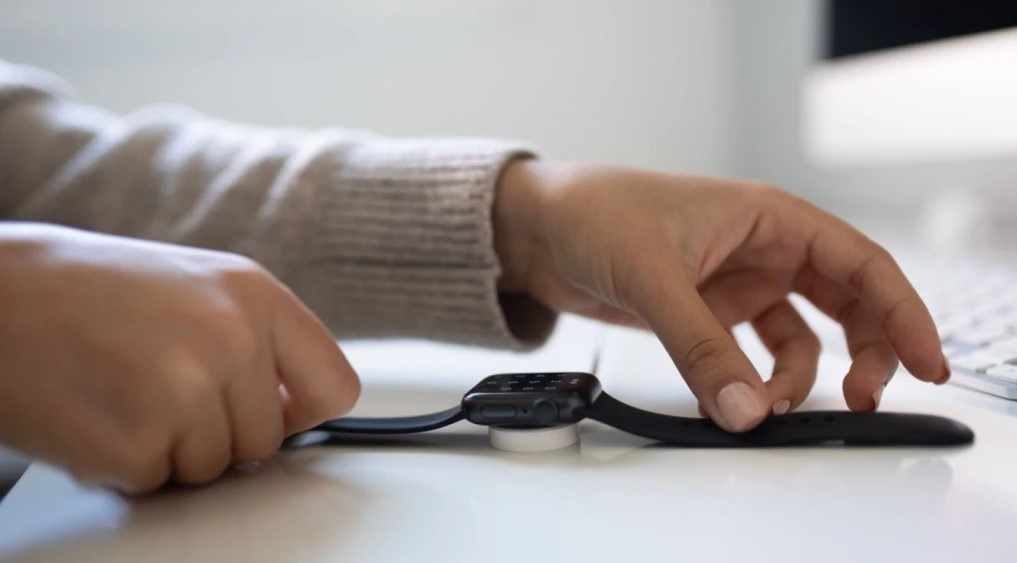
The good news is that this problem is usually easy to fix at home. In this guide, you will learn exactly why your watch has stopped charging, the warning signs worth paying attention to, and nine practical fixes you can try right now, starting with the simplest ones first.
Why Your Apple Watch Won’t Charge
Apple Watch uses a magnetic inductive charger instead of a physical port, which makes it more convenient, but also more sensitive to alignment, debris, and moisture. When any of those get in the way, the watch simply can not complete the connection needed to pull power.
In most cases, the issue is mechanical or environmental rather than a hardware failure. A misaligned charging puck, a speck of lint on the contacts, or a worn-out cable can all stop charging just as effectively as a genuine battery problem.
Common Causes of an Apple Watch not Charging
- Dirt, sweat, or lint buildup on the charging contacts or the back of the watch
- A damaged, worn, or non-Apple charging cable
- The magnetic charger not sitting flush and centered against the watch
- A weak or faulty USB power adapter or wall outlet
- The watch’s battery being completely drained after sitting unused for a long time
- A temporary software freeze or glitch after a watchOS update
- Extreme temperatures, charging pauses automatically if the watch is too hot or too cold
- Aging battery health after two or more years of regular use
Warning Signs to Watch For
Not every charging issue looks the same. These signs can help you figure out whether you are dealing with something simple or something more serious:
- A red lightning bolt icon appears but the percentage never increases
- The watch gets noticeably hot while placed on the charger
- Charging starts and stops repeatedly instead of staying steady
- The watch takes far longer than usual to reach a full charge
- No charging symbol appears at all, even after 30 minutes on the charger
9 Ways to Fix an Apple Watch That Won’t Charge
Work through these fixes in order. Most people solve the problem within the first three steps, so start simple before trying anything more involved.
Fix 1: Check the Cable and Power Adapter Connections
Start with the basics. Make sure the magnetic charging cable is fully plugged into the USB power adapter, and that the adapter is firmly seated in the wall outlet. A loose connection at either end is one of the most common reasons charging silently fails.
Fix 2: Use an Official Apple Charger and Cable
Third-party or uncertified chargers can look identical to the real thing but fail to deliver a stable connection. If you are not using the Apple Magnetic Charging Cable or USB-C Magnetic Fast Charging Cable that came with your watch, swap it out and see if that resolves the issue.
Fix 3: Clean the Charging Contacts
Sweat, lotion, and everyday grime build up on the back of the watch and on the charging puck over time, and this is one of the most frequent causes of a stalled charge.
- Power off the watch first
- Wipe the back of the watch and the charger with a dry, lint-free cloth
- Avoid water, alcohol, or cleaning sprays on the charging contacts
- Let everything dry completely if the watch has any moisture on it before reconnecting
Fix 4: Check the Magnetic Alignment
The charger needs to sit flush and centered on the back of the watch for the magnets to lock into place. Try removing the watch band buckle or case that might be tilting the watch, then place it back on the charger and gently press until you feel it snap into position.
Fix 5: Try a Different Power Source if Apple Watch not charging
Plug the charger into a different wall outlet, or connect it to a USB port on your computer instead. This helps you rule out a faulty outlet or a weak power adapter as the culprit.
Fix 6: Give It Time if the Battery Is Completely Drained
If your Apple Watch has been sitting powered off for a long time, it can take up to 30 minutes on the charger before any charging icon appears. Leave it connected and undisturbed for at least half an hour before assuming something is wrong.
Fix 7: Force Restart if the Watch Is Unresponsive
If your watch won not respond to a normal restart, a force restart can help. Press and hold both the side button and the Digital Crown at the same time for about 10 seconds, until the Apple logo appears. This doesn’t erase any data, it simply reboots the device.
Fix 8: Update watchOS and Check Battery Health
Outdated software has occasionally been linked to charging bugs, so check for updates through the Watch app on your iPhone under General, then Software Update. While you are there, check Battery Health under the Battery settings, a battery that is significantly degraded after a couple of years of use may simply need replacing.
A Myth Worth Avoiding
Some online guides suggest opening the watch case or replacing the battery yourself to fix a charging fault. Avoid this. Apple Watch batteries sit close to sensitive internal components, and prying the case open risks damaging the display, puncturing the battery, or breaking the water seal permanently, even if the watch was charging fine beforehand.
The safe alternative is to let Apple or an Apple Authorized Service Provider handle any repair that goes beyond cleaning and basic troubleshooting.
When to Seek Professional Help
If you have worked through every fix above and your Apple Watch still won’t charge, it is time to bring in the professionals. Book a repair if you notice any of the following:
- The watch still won’t charge with a different cable, adapter, and outlet
- Battery health has dropped well below its original capacity
- The watch overheats every time it’s placed on the charger
- There’s visible cracking, swelling, or signs of water damage
- The screen or buttons became unresponsive around the same time charging stopped
Apple offers repair and battery service through its website, and Apple Watch Series 5 and SE models that developed a charging fault after entering Power Reserve on certain watchOS versions may qualify for a free repair, it is worth checking your model against Apple’s support page before paying for service.
How to Prevent Apple Watch Charging Problems
- Wipe down the back of your watch and the charging puck once a week
- Stick to Apple-certified chargers and cables
- Avoid charging in direct sunlight or very cold rooms
- Keep watchOS updated to the latest version
- Store the charging cable somewhere it won’t get bent, pinched, or frayed
- Remove thick cases or bands that could tilt the watch off the charger
Summary
An Apple Watch won’t charge for all sorts of small, fixable reasons, and in the vast majority of cases, the solution is something you can handle yourself in a few minutes. Start with the simple checks, work your way through the list, and only consider a repair once you’ve ruled out cables, contacts, and software. If your watch is still refusing to charge after trying everything here, don not force it further. Reach out to Apple Support or an authorized provider so the issue gets diagnosed properly.
Further Relevant Posts:
Roku Remote Not Working? 9 Very Easy Fixes
iPad Smart Keyboard Not Working? 10 Easy Fixes
Face ID Not Working? Try Fixing It With These 7 Steps
Frequently Asked Questions:
This is almost always caused by dirt on the contacts, a misaligned charger, or a faulty cable rather than a dead battery. Work through the cleaning and alignment fixes above before assuming the worst.
A completely drained watch can take up to 30 minutes on the charger before the charging icon appears, so don’t panic if nothing shows up right away.
You can use certified third-party chargers, but uncertified ones often cause inconsistent or failed charging. If you’re having trouble, testing with the original Apple charger is the fastest way to rule this out.
Mild warmth is normal, but noticeable heat can point to a battery issue, a faulty charger, or charging in a warm environment. If it happens consistently, have the battery checked.
Sometimes. Charging-related bugs have appeared in past watchOS releases, and Apple has pushed updates specifically to resolve them, so it is always worth checking for the latest version.
Yes. Apple Watch is designed to stop drawing power once it is full, and Optimized Battery Charging can even hold it below 100% until you need it, which helps protect long-term battery health.