

What Is Phone Battery Swelling Exactly?
Phone battery swelling is a common issue in modern smartphones that use lithium-ion or lithium-polymer batteries. These batteries store energy through a chemical reaction between the electrodes and the electrolyte inside a sealed cell. When that chemical process is disrupted by age, physical damage, excessive heat, or overcharging, gases such as carbon dioxide, oxygen, or hydrogen can build up inside the battery. Because the battery casing is sealed, the trapped gas has nowhere to escape, causing the battery to expand. This is why you may hear terms like expanded battery, bulging battery, or swollen lithium battery to describe the same problem.
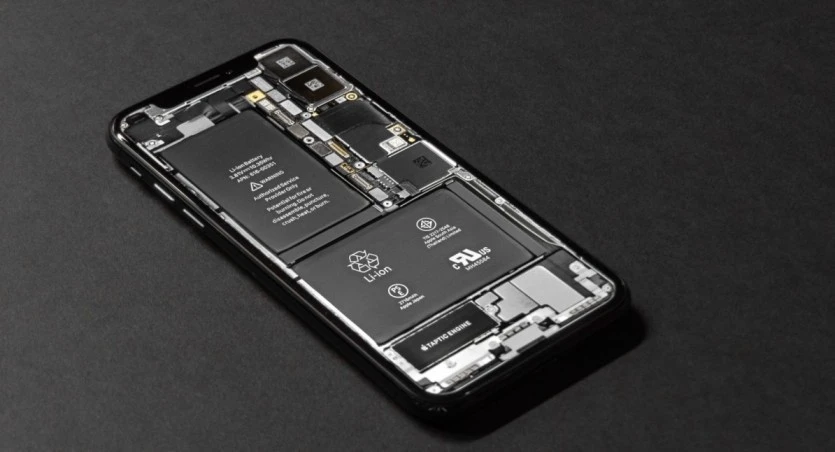
Technicians sometimes call this battery puffing, and it is essentially the battery’s way of telling you it is failing internally. It is not something that can be reversed, and it is not something you should try to fix by pressing the battery back into shape.
Safety warning: A swollen battery is a physical safety hazard. Never puncture, bend, heat, or apply pressure to a bulging battery. If you notice smoke, a hissing sound, a strong chemical smell, or the battery becomes hot to the touch, move the device to a safe, nonflammable surface, away from anything combustible, and do not attempt to handle it further. Learn more about how lithium-ion batteries work.
Common Causes of Phone Battery Swelling
There is not usually a single cause it is often a combination of age and how the phone has been used and charged over time. The most frequent causes I see include the following:
- Natural aging: Lithium-ion batteries degrade with every charge cycle. After roughly 2–3 years of regular use, the internal chemistry naturally starts to break down, which can lead to gas buildup.
- Overcharging or poor-quality chargers: Cheap, uncertified chargers and cables don’t always regulate voltage properly, which stresses the battery and speeds up degradation.
- Exposure to heat: Leaving a phone in a hot car, on a sunny windowsill, or under a pillow while charging accelerates the chemical reactions that cause swelling. Excessive heat is one of the factors that can contribute to battery damage. If your phone often gets unusually hot, read our guide on Phone Battery Overheating to understand the causes and how to prevent it.
- Physical damage: Dropping the phone or bending it can puncture or stress the battery cell internally, even if there is no visible external damage.
- Manufacturing defects: Occasionally, a battery leaves the factory with an internal flaw. This is less common but does happen, especially with third-party replacement batteries.
- Deep discharging: Regularly letting your battery drop to 0% and stay there for long periods can also contribute to degradation over time.
- Water or moisture exposure: Corrosion from moisture intrusion can interfere with the internal cell structure and trigger gas buildup.
Signs of a Swollen Phone Battery
Battery swelling is not always obvious right away. Here’s what to watch for, roughly in the order most people notice them:
- The back cover or screen starts lifting or separating from the frame, especially near the center.
- The phone no longer sits flat on a table, it rocks or wobbles.
- A phone case that used to fit fine now feels tight or won’t close.
- Visible bulging or a rounded bump on the back or side of the device.
- The battery percentage behaves erratically jumping from 40% to 5%, or the phone shuts off unexpectedly.
- The device feels unusually warm even during light use or while idle.
- Slower charging, or the phone stops charging past a certain percentage.
- A faint chemical or sweet odor coming from the device.
If you notice even one of these signs, it is worth stopping and inspecting the phone rather than waiting to see if it gets worse. Swollen batteries don’t fix themselves, and the swelling tends to progress over time.
How to Fix a Swollen Phone Battery
Here is the honest, technician-level answer: you cannot repair a swollen battery. There is no safe way to deflate it, reseal it, or reverse the internal gas buildup. The real fix is safely stopping its use and having it replaced. Here’s the process we recommend, step by step.
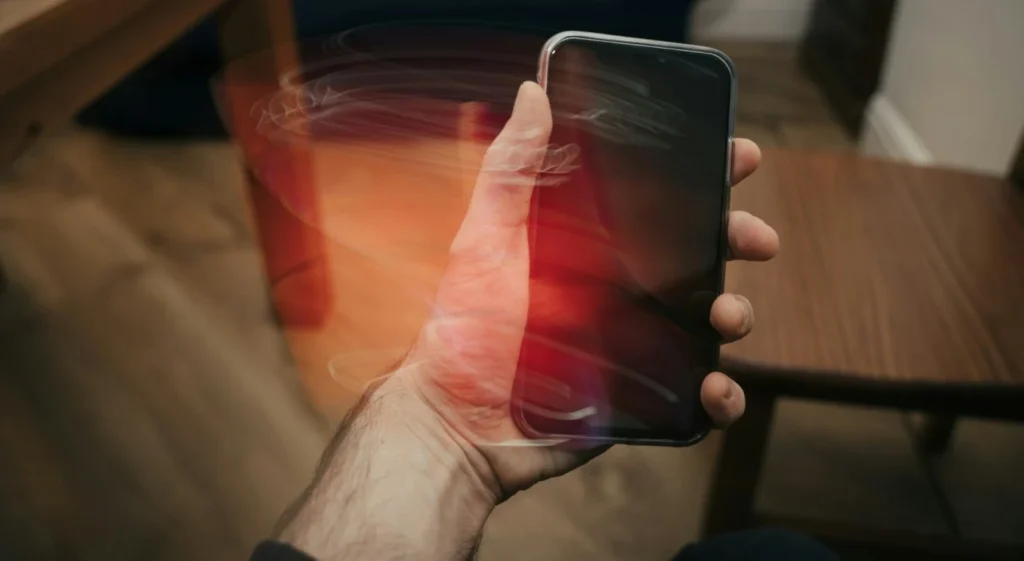
Step 1: Stop Using and Charging the Phone Immediately
As soon as you suspect battery swelling, unplug the phone from any charger and stop using it for daily tasks. Continued charging or use increases heat and pressure on an already-compromised cell, raising the risk of the battery rupturing or catching fire.
Step 2: Power Down the Device
If the phone is still responsive, turn it off completely rather than leaving it in standby. This reduces internal heat generation and lowers the immediate risk while you arrange for a proper battery replacement.
Step 3: Move It to a Safe Location
Place the phone on a hard, nonflammable surface, a ceramic plate, metal tray, or concrete floor works well. Keep it away from paper, fabric, or anything else that could catch fire and out of reach of children and pets.
Safety warning: Do not store a swollen battery inside a drawer, on a wooden desk, in a car, or near bedding. If the swelling is severe or the device is hot, consider placing it in a fire-resistant bag or metal container as an extra precaution.
Step 4: Avoid Pressure or Impact
Do not sit on the phone, put it in a tight pocket, stack heavy objects on it, or try to push the swelling back down. Physical pressure on a bulging battery pouch is one of the fastest ways to cause a rupture.
Step 5: Get the Battery Replaced by a Professional
This is the actual fix. Take the device to a certified repair center, an authorized service provider for your phone’s brand, or a reputable independent repair shop that has experience with lithium battery replacement. Professional technicians have the right tools and expertise to replace a swollen battery safely without harming the phone or putting anyone at risk.
Step 6: Dispose of the Old Battery Properly
Swollen lithium batteries are hazardous waste and should never go in household trash. Most repair shops handle disposal for you. If you need to dispose of one yourself, look for a certified e-waste or battery recycling center in your area, many electronics retailers also offer battery drop-off programs.
What NOT to Do With a Swollen Phone Battery
Trying to replace a swollen battery at home often leads to additional device damage or even serious safety hazards. Avoid these at all costs:
- Do not puncture, cut, or pierce the battery, this can cause an immediate chemical reaction, fire, or explosion.
- Do not bend or apply pressure, including pressing the case shut or using clamps to flatten it.
- Do not heat it, avoid hair dryers, direct sunlight, or leaving it near a heater.
- Do not continue charging it, even just to get through the day.
- Do not submerge it in water, this does not neutralize the risk and can cause a separate reaction.
- Do not throw it in regular trash or a fire, both are genuinely dangerous and, in many places, illegal.
- Do not attempt a DIY battery replacement unless you have proper training and tools, prying at a swollen pouch cell with a metal tool is one of the most common causes of battery punctures during amateur repairs.
When to Replace the Battery
The short answer as soon as you confirm the battery is swollen, it needs to be replaced. There is no version of this where waiting it out is the safer option. That said, here’s a quick way to judge urgency:
| Situation | What It Means | Recommended Action |
| Slight lifting of the back cover, phone still functions normally | Early-stage swelling | Stop charging, schedule a battery replacement within a few days |
| Noticeable bulge, case won’t close, screen separating | Moderate swelling | Stop all use immediately, get professional replacement as soon as possible |
| Device is hot, hissing sound, smell, or visible deformation getting worse | Advanced / active failure | Power off, move to a safe non-flammable surface, seek professional help urgently |
| Phone battery health below 80% with frequent shutdowns (no visible swelling yet) | Pre-swelling degradation | Consider proactive replacement to avoid future swelling |
If your phone is older and the battery health has already dropped significantly, replacing it proactively, before swelling starts, is often the smarter move. It is a small, planned repair instead of an unexpected safety issue.
Conclusion
Phone battery swelling is one of those problems that looks worse than it needs to be, as long as you catch it early and handle it correctly. The moment you notice a bulging back cover, a case that no longer fits, or a battery percentage that behaves oddly, stop charging the device, power it down, and get it to a professional for a proper battery replacement. There is no home remedy that reverses a swollen lithium battery, the safest and only real fix is replacement. Keeping your phone cool can reduce stress on the battery. Our Phone Battery Overheating guide explains practical tips to avoid overheating during charging and daily use.
Treat any sign of battery damage as worth acting on quickly rather than waiting to see if it improves, because it won’t on its own. A little caution now saves you from a much bigger headache, or a genuinely dangerous situation.
Frequently Asked Questions:
No. Continuing to use or charge a phone with a swollen battery increases the risk of the battery rupturing, leaking, or catching fire. It is best to power the device off and have the battery replaced as soon as possible.
It is uncommon, but it can happen, especially if the swelling is left unaddressed and the phone continues to be charged or exposed to heat or pressure. Treating any sign of swelling seriously is the best way to avoid this outcome.
No. There is no safe way to reverse battery swelling. The gas buildup inside the cell is a sign of internal chemical breakdown that cannot be undone. Replacement is the only real fix.
Costs vary by phone model, brand, and whether you use an authorized service center or an independent repair shop, so it is worth getting a quote locally. In general, standalone battery replacements are less expensive than full device repairs.
It might power on and function for a while, but performance often becomes unreliable, unexpected shutdowns, erratic battery percentage readings, and slow charging are common. Functioning is not the same as being safe to use.